AI writes the code.
Hopper verifies it — and watches the bill.
An agent's self-reported “done” can't be trusted. Hopper re-runs verification itself (restoring base tests when the agent touched them — anti-tamper), checks every acceptance criterion for evidence, and renders a shareable trust report; it also turns real Claude / Codex usage and budgets into enforceable gates. The orchestration layer (Markdown / GitHub Issues / ZenTao intake → scheduling → worktrees → review → merge) is the free foundation underneath.
git clone https://github.com/Octo-o-o-o/Hopper.git && cd Hopper && npm ci && npm run build && node bin/hopper.mjs init
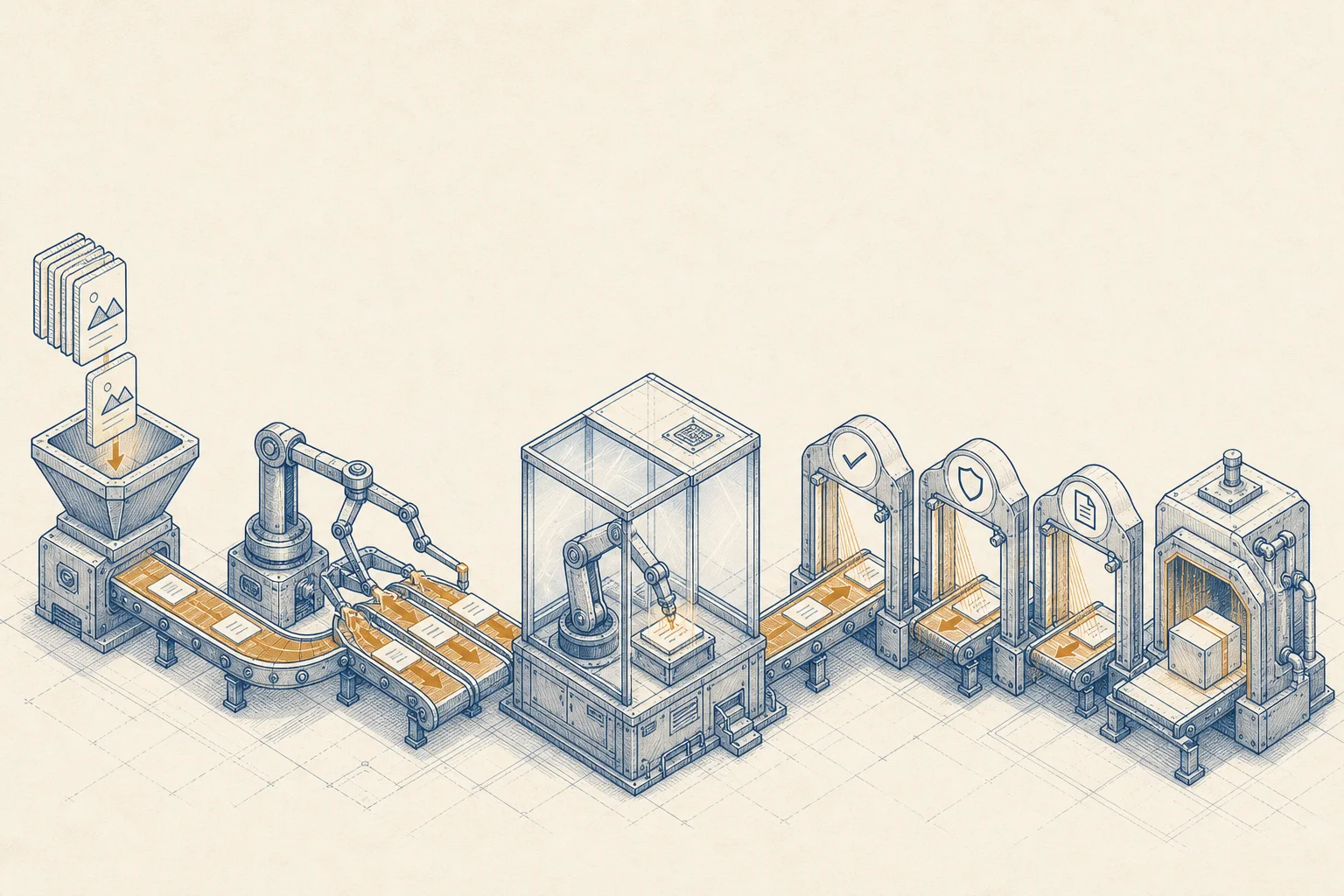
FIG.00 — Drop docs → triage → isolated worktree → quality gates → output
A local delivery gate
for AI-written code.
Hopper is a CLI tool with no server. You drop Markdown into a central vault, and it automatically runs triage → queue → dependency/risk checks → pick a runner → isolated worktree → compile the prompt → execute → verification → acceptance → docs alignment → human review → merge/archive, with an event audit trail end to end.
- Not another coding agent — it doesn't rewrite Claude Code / Codex
- Not another Jira / Linear / Taskmaster / Backlog
- Not a cloud Devin replacement, not general-purpose RPA
- No heavy Web UI in the MVP — the document UI is left to Obsidian
Files are the truth
The Markdown under ~/Hopper/ plus .hopper/events.jsonl can rebuild all state. Even after a crash it reconciles and recovers.
Done has to be trustworthy
runner finished ≠ task done. It must pass Hopper's own verification, line-by-line acceptance, docs alignment, and human review — and code tasks still need a merge.
Untrusted-input model
All Markdown / external content is untrusted input and cannot relax the guardrails. Deterministic gates backstop everything after the runner finishes; an LLM can never lower a safety rule.
From a single Markdown
to one trustworthy merge.
Every task flows down the same line. The runner finishing is only a middle station — automatic quality gates, human review, and the merge gate still come after. The diagram below is all of Hopper.
FIG.02 — Single-task lifecycle · the last event decides whether a task lands in failed / blocked / review
Drop → triage
Four entry classes drop into the Inbox and get deduped; a three-layer triage of parser → rules → optional LLM compiles a prompt with context and acceptance criteria.
Queue → isolate
The dependency DAG, risk, and usage/budget together decide whether it can run; RunReserved is written before the worktree is built, then Claude/Codex runs on its own branch.
Quality gates
Hopper runs verification, deterministic guardrails, risk re-eval, acceptance evidence, and docs alignment — emitting events step by step, and the last event sets the state.
Review → merge
A human approves / adds a waiver / sends it back to retry; merge re-runs a smoke check first, conflicts keep the scene intact, and it's archived at the end.
State is never written directly —
it's a projection of the event stream.
Machines read the fine-grained state in events.jsonl; humans read the coarse state in the frontmatter. You never hand-write status: it's projected from the event stream, and the write-back is "protected" — editing the body in Obsidian won't be overwritten.
FIG.03 — Two views of the same truth · events.jsonl can rebuild all state
- The task Markdown body and acceptance criteria
- priority / runner / depends_on / tags / do_not_run in the frontmatter
- Browse, backlink, and read run summaries in Obsidian
- .hopper/events.jsonl · state/ · locks/ · requests/
- The frontmatter status / updated_at / last_run_id (projected fields)
- On a state conflict, run hopper reconcile --dry-run
Write requirements however
you like, then drop them in.
Handwritten notes, Obsidian, Claude Code / Codex sessions, and external requirement sources such as GitHub Issues / ZenTao Stories — all four entry classes ultimately converge into Markdown in the vault, handled by the same drop → scan → triage loop.
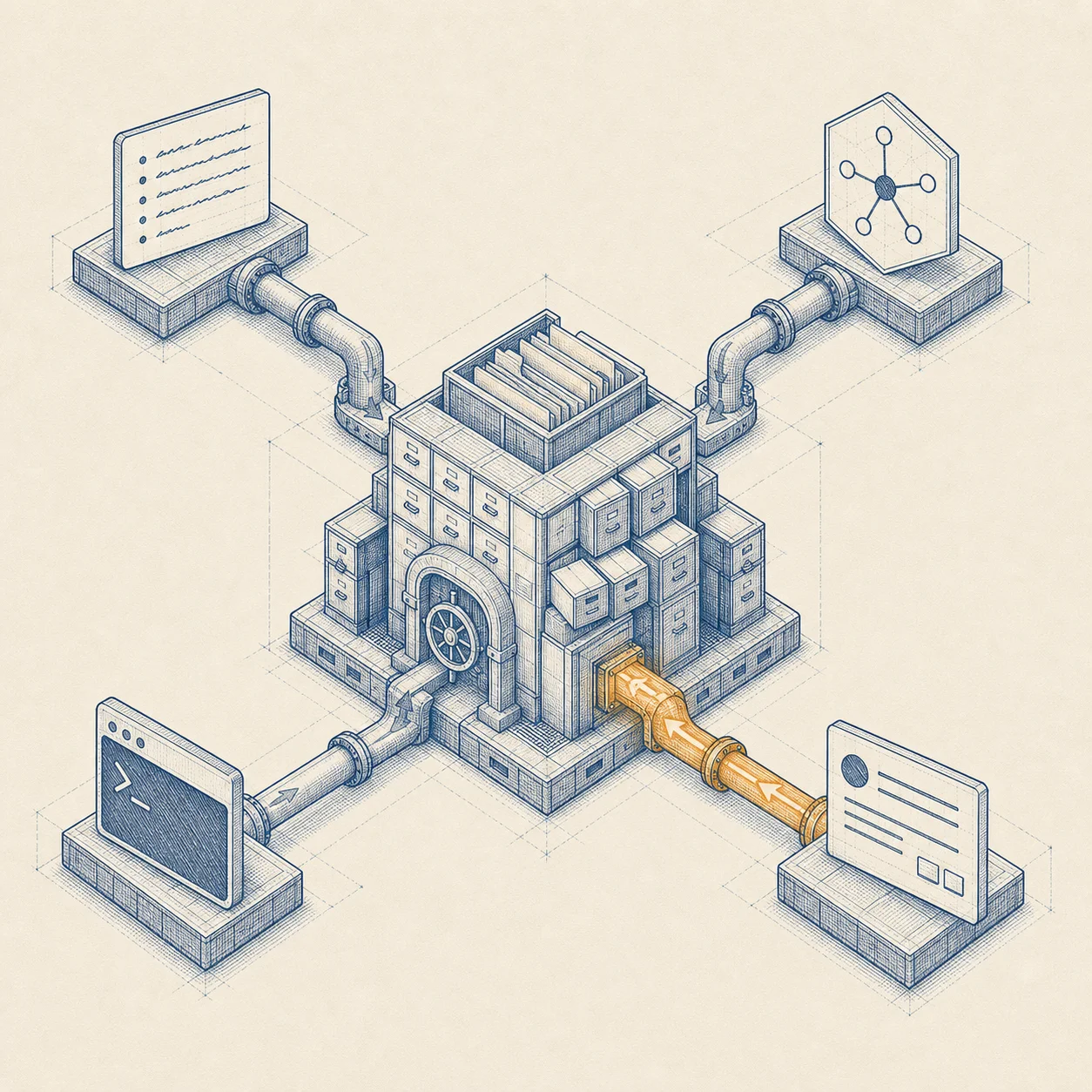
FIG.04 — Four entry classes → central vault → the same loop
Maintain Markdown by hand
The most direct way: write a .md, put runner / risk in the frontmatter, the requirement plus an Acceptance checklist in the body, and drop it in.
No project specified lands in _unassigned, and can be reassigned later.
Maintain it in Obsidian
The vault is an Obsidian vault. Filter status/project in the properties view, see dependencies in the graph, read 20-Runs/ summaries — it works out of the box, and Hopper builds no document UI of its own.
- Open ~/Hopper as a vault
- Edit the body / adjust priority, depends_on
- Backlink across task ↔ acceptance ↔ run summary
Maintain it in Claude Code / Codex
Have the AI draft the plan, then pipe the body straight into Hopper; or drop from inside your project repo via a .hopper-inbox symlink.
The /hopper-drop slash command isn't implemented yet — piping stdin is the most reliable.
Bring in external sources
GitHub Issues can be imported as one-way snapshots and commented back; ZenTao Stories can be read-only imported, manually written back as comments/fields, and pulled for close/spec/assignedTo suggestions.
External bodies are tagged external_untrusted and cannot relax the guardrails.
Every task
travels across this map.
The main lifeline is received → ready → running → review → done. The rest are branches and loops: failed verification returns to failed, a guardrail hit goes to blocked, a human can send it back to retry… all explainable, all recoverable.
FIG.05 — Solid = main path · dashed = classification/loops · colors grouped by state · invariant "the last event sets the state"
The runner saying "done"
is only the start of the checkup.
The moment the runner finishes, Hopper runs 6 gates in order inside the isolated worktree. Order is priority: an earlier gate failing aborts immediately, and the last event decides whether the task lands in failed / blocked / review.

FIG.06 — 6 gates run in order · each emits an event · the last event sets the state
Verification uses the plan frozen at the task's start, in the base-commit state. Even if the runner edits the test scripts, it can't affect this gate — it has no way to cut itself slack.
The first two are deterministic gates (no LLM) and can hard-block. Risk re-eval only raises; acceptance and docs only record any issues and hand the call to a human.
In assisted mode the runner stops at plan-step boundaries and raises a decision card. You release / annotate / veto it in the Console or CLI (hopper breakpoint release), and the same run resumes in place — no starting over.
When enabled, approve enqueues the task and the queue worker is the only canonical landing writer, landing changes one by one; generation fencing keeps a stale run's result from landing. Approve is still yours.
Every command,
sorted by category.
The global flags --json (script-friendly), --debug, and --vault <path> (overrides HOPPER_VAULT or the default ~/Hopper) are available almost everywhere.
Init & onboardingsetup · link
hopper init [path]Create / idempotently update the central vault layouthopper setup --link-repo --project -yMinimal-interaction first run: build the vault + optionally link a repohopper link-project --project --repoOnboard a project repo, writing .hopper.project.yml + a symlinkhopper git initInitialize the vault as a Git repo (not initialized by default)Drop & external intakedrop · github · zentao
hopper drop [file] --project --stdinDrop Markdown into the Inbox and dedupe on the spothopper github link --project --repoAssociate a registered project with a GitHub repohopper github sync --project|--all --dry-runOpen issues matching a label → bug-listhopper github status --projectView sync status / number importedhopper github sync-back --task --dry-runComment the fix summary back to the source issuehopper zentao doctorCheck ZenTao config, auth, and write-back carriershopper zentao import --product|--story --dry-runRead-only import Stories, idempotent by source_pathhopper zentao sync-back --task --yesManually write back comments or fields; preview by defaulthopper zentao pull --apply --yesPull close / spec / assignedTo suggestions and apply after confirmationTriage & compilescan · triage · prompt
hopper scanDiscover and register new Inbox files + deterministic triagehopper triage [task-id] --all --no-llm(Re-)triage, with optional LLM suggestionshopper prompt compile <task-id>Preview the compiled prompt + context manifestDependencies & queuedep · queue
hopper dep add <task> --after <dep>Add / remove a hard dependencyhopper dep accept <task> --reasonAccept a system-suggested dependencyhopper dep graph · explain · readyDependency graph / explain / ready sethopper queue explainExplain why each ready task can (or can't) runExecutionrun · drain · daemon
hopper run nextExecute exactly one ready taskhopper run <task-id>Execute one specific ready task; exact same gates as run nexthopper run --parallelExecute the current ready set once, then exithopper drain --max <n>Keep pulling tasks until the queue is empty / stopped (concurrency comes from config)hopper daemon --max <n>Controlled auto-execution (only up to review, no merge)hopper daemon pause · resumePause / resume claiming new tasksStatus & evidencestatus · show · usage
hopper statusShow task status projected from the event streamhopper show <task-id>Task detail: frontmatter + event projectionhopper logs <task-id>Raw log of the most recent runhopper usage · budgetRunner usage / USD soft accountinghopper project show <name>Resolved snapshot of one project's config (defaults filled in)hopper capabilitiesCapability / version handshake: enumerates events, statuses, mutation commands; --json for machinesReview · merge · archivereview · merge · retry
hopper review list · show · diff · patch · openList / detail / diff / export patch / open the worktreehopper review approve --waive <kind:target> --reasonApprove, with a structured waiver for gapshopper review request-changes · reject --messageRequest changes / rejecthopper merge <task-id>merge (smoke check first; conflicts keep the scene)hopper retry --runner --message --keep-worktreeRetry, optionally switching the runnerhopper archive --cleanup-worktree --statusArchive (archived/rejected/deferred)Authoring · docs · recovery · opsnew · lint · docs · reconcile
hopper new <title> --projectCreate a task template file without registering or triaging ithopper lint <file>Read-only quality check for Hopper task documentshopper check --base --staged --criteriaRun the four gates standalone on any repo's diff; produces a trust reporthopper docs check · show <task-id>Re-run / view the Documentation Alignment Gatehopper reconcile --dry-runReconcile + safe repair (release stale locks, recover crashed runs)hopper doctor [privacy]Health check + reconcile report / sensitive-data self-checkhopper cancel · unblock · move · reassignCancel / unblock / reassign tasksSchema · Runnerschema · runner
hopper schema validate [path] · export --outValidate / derive JSON Schema from zodhopper runner list · show · probe <id>List / detail / probe runner capabilitieshopper runner detect --homeScan ~/.claude* ~/.codex* and print suggestionsPlatform opscmd · stop · breakpoint · merge-queue
hopper cmd <verb> <target>Unified command service: durable / idempotent / five terminal states, shared with the Consolehopper stop --release --statusEmergency stop: freeze intake, stop claiming, handle in-flight executors by severityhopper breakpoint list · release · resume <decisionId>Assisted-mode breakpoint cards: list / release (with a note) / resume the same runhopper merge-queue list · run · release <task>Merge queue: inspect / run the queue worker / release a manual_release itemhopper credentials resumeOne-shot recovery after a 401 / quota auto-pausehopper intake list · resolve <proposalId> --choiceIntake proposal cards: list / resolve (accept registers the project + drops the first task)hopper attest request · confirm · reject · listAttestation: human verdict → signed receipthopper project contract lint · propose · seal · refreshDelivery contract lifecyclehopper project gate <task-id> · coveragePer-task delivery gate check / project coverage reporthopper project enroll …Delivery-chain enrollment entry (siblings: project artifact-put / challenge / attest / lease)Don't want to type commands?
Open a local console.
A single hopper console starts a local web page bound to 127.0.0.1 only: a Control Room for the big picture, a decision inbox for reviews, and dual tabs for filing tasks / bug reports — all reading the same file truth and writing the same mutation queue. It's a skin over the CLI, not a takeover of the state machine — close it and the CLI keeps working.
hopper console
What it can docontrol room · decisions · bug report
First-run wizardSet up an empty vault in a few steps: build vault → onboard a repo (auto-detect verification commands) → pick a runnerControl RoomSix zones on one screen: active runs · pending decisions · budget burn · risk · recent results · ops metricsDecision inboxRisk approvals / reviews / blocked / failed in one place; each resolution is bound to a digest / revision, so you never decide against a stale stateReview consoleSee diff / verification / acceptance / docs alignment / risk, with one-click approve · merge · retryTask detail actionsfailed → Retry, blocked → Unblock, Archive — with guidance based on the task's actual riskTask / Bug report tabsFree-form Markdown, or a structured bug form that generates canonical Markdown; a deterministic triage verdict chip before you submitImport previewPreview the rendered ZenTao Story and external-source markers before importingDraft protectionTyping is never swallowed by refreshes, with a localStorage draft as backupBilingual UIChinese / English following the browser language, with a manual toggleBound to 127.0.0.1 only, with a random token + Origin checks, so data never leaves your machine; execution is still scheduled by the daemon / CLI — the console doesn't run tasks for you, nor approve / merge on your behalf.
Five minutes to
run your first task end to end.
# 0 · Clone and build (Node ≥ 22; install from source until the npm package ships)
git clone https://github.com/Octo-o-o-o/Hopper.git && cd Hopper
npm ci && npm run build && npm link

# 1 · Init the vault, onboard your repo
export HOPPER_VAULT="$HOME/Hopper"
hopper init
hopper link-project --project my-app --repo /abs/my-app

# 2 · Drop a task
cat task.md | hopper drop --project my-app --stdin

# 3 · Triage → queue → execute
hopper scan
hopper triage --no-llm
hopper queue explain
hopper run next

# 4 · Review → merge → archive
hopper review diff <task-id>
hopper review approve <task-id>
hopper merge <task-id>
hopper archive <task-id> --cleanup-worktree
Unattended, up to review
The daemon only advances up to review — it never approves / merges for you.
How to start with a real runner
- Test the waters with low-risk tasks first: README typos, small doc sections
- Manually check diff / verification / acceptance / docs before scaling up
- hopper runner probe claude|codex to verify capability first